Start using Pawoon & accept digital payments (GoPay, OVO, Dana, LinkAja)
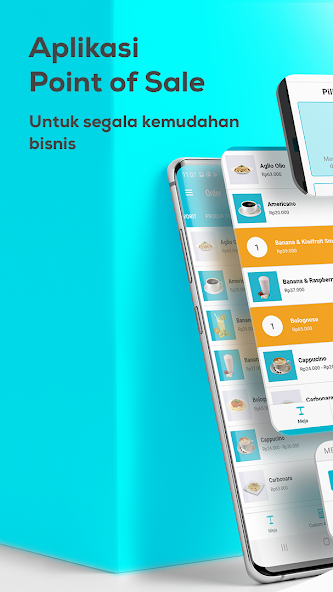
Make business easier with Pawoon , a free cloud-based cashier or point of sale (POS) application. Make transactions quickly, accept various types of payments, manage multi-outlets, and monitor your business with 18+ financial reports in one application. Suitable for F&B, retail, barbershop, salon and various other businesses.
Pawoon can be used for various business scales. Get business convenience by using the following Pawoon features:
Key Features
• Multi Outlet/Multi Branch - Monitor sales and stock from all branches anytime & from anywhere
• Stock Management (Inventory Management) - Reliable, accurate and real-time stock management for your business
• Complete Reports - Understand your business more deeply and easily. Everything is available instantly, without having to take up a lot of your or your staff's time to make daily reports
• Online & Offline - Pawoon can operate both online and offline. When offline, all transaction data is stored safely in the application and will be transferred to the system once connected to an internet connection
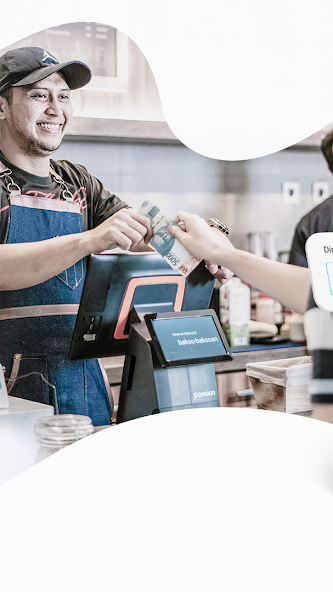
• Print receipt or send via email - Transaction receipts can be printed with a printer or sent via email to customers
• Employee Authorization - Set the access rights of each staff/cashier according to needs, to minimize fraud that can be committed
Customer Management (CRM)
• Customer Profile - Get a deeper understanding of your customers' behavior to increase sales and profits
Promo & Discount Management
• Buy A Get B Free - Give free products if customers buy certain products
• Happy Hour - Give discounts to customers who come at a certain time
• Vouchers - Give vouchers that can be exchanged for various attractive promotions
• Points - Award points for every transaction in the store and customize the rewards customers will receive
Accept various payment methods
• Cash
• Card
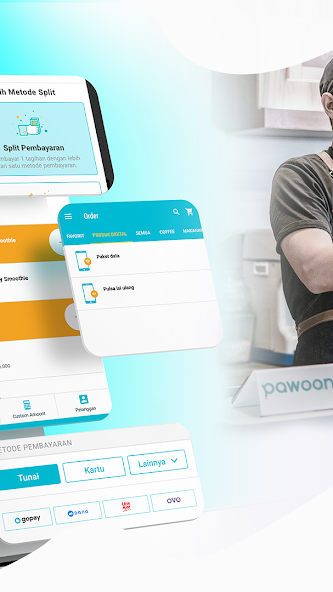
• Digital Payments: Go-Pay, OVO, DANA, & LinkAja
• Split payment - Customers can use several types of payment methods in the same transaction
Sell Digital Products
• Credit & Data Packages
Other conveniences
• Can be connected to thermal or dot matrix receipt printers (Bluetooth/LAN), as well as several kitchen printers
• Can be connected to a barcode scanner and cash drawer
• Can activate Samsung Knox kiosk mode specifically for Samsung devices for greater security of use
• Table setup - Know which tables are in use and make it easy to record your customers' orders
3 Easy Steps to Use the Pawoon Application:
1. Download the Pawoon POS Android application
2. Create a free account and then login
3. Set up your shop by doing:
• Add products to be sold
• Start selling by making transactions
• View transactions that have been made in the transaction history
CUSTOMER SERVICE ASSISTANCE
Every Pawoon POS customer will be supported by a reliable customer service team. We are always ready to help ensure your business runs smoothly at all times.
Our team can be contacted via:
• Email: support@ Pawoon .com
• Telephone: 1500-360
• Chat: https://www.Pawoon.com
• Facebook Messenger: https://m.me/Pawoonpos
Learn more about using Pawoon through our help page at: http://help.Pawoon.com.
Office:
AXA Tower 7th Floor
Prof. Street Dr. Satrio Cav. 18, Setiabudi
South Jakarta 12950
Indonesia
Read more